
List Your Cards Faster: How One App is Changing the eBay Game
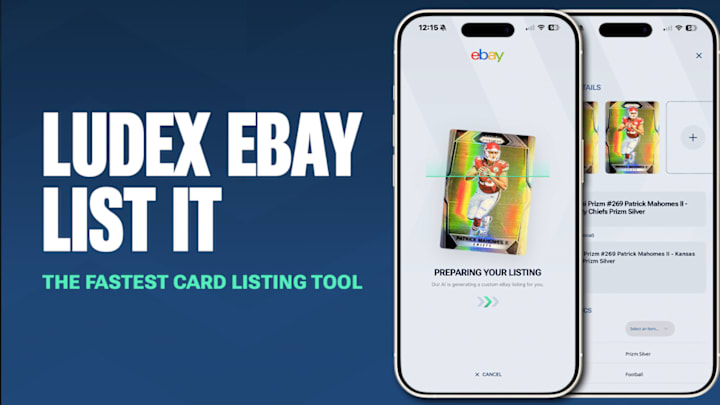
Listing trading cards on eBay used to feel like a chore: typing out card details, uploading photos, checking comps, and navigating eBay’s listing menus over and over. Ludex’s upgraded “List It with Ludex” tool aims to eliminate that friction entirely, letting collectors scan, price, and publish cards directly from their phone in just a few taps.
For anyone selling raw or graded cards, the process has never been smoother.
RELATED: World Cup Primer: Young Players to Watch and Their Rookie Cards
Connecting Your eBay Account
The first step is simple: link your eBay account inside the Ludex app. Once connected, Ludex can publish listings automatically, pulling the card’s data straight into eBay’s required fields. There’s no copying and pasting text, no guessing categories, and no manual formatting. After the one-time setup, everything else happens inside Ludex.

From Scan to Sale
Once your account is connected, the workflow becomes almost instant.
Open the Ludex app, tap “Scan,” and point your camera at the card. Ludex identifies the card within seconds with details like year, brand, set, player, variation, parallel, card number—and builds the listing template for you. The accuracy of the scanner is the heart of the upgrade, turning what used to be minutes of data entry into a single automated step. Time is money!

When the card appears in the app, a “Sell on eBay” button pops up. Tap it, and you’re moved directly into a streamlined listing process built specifically for collectors.
From there, you upload photos of the front and back, select the condition of the card, choose auction or Buy It Now, set your price, and enter shipping preferences. While Ludex fills in all the essential metadata, you stay in control of the choices that matter to buyers.

If you’re listing multiple cards or stepping away mid-process, you can save your listing as a draft and finish later. When the listing looks good, tap “List to eBay,” and the card goes live immediately. Ludex marks it as “Published” in your portfolio, making it easy to track what’s listed and what still needs to be priced or posted.
Listing Limits and Membership Options
Ludex offers different listing limits depending on your membership level. Free users can publish up to five listings per month, Lite and Standard members can list up to 50, and Pro subscribers can publish up to 250.
For collectors who regularly sell singles, parallels, or graded slabs, these expanded limits make bulk listing dramatically more efficient.
Why This Matters for Sellers
Ludex’s upgraded eBay integration isn’t just about speed. It’s about consistency, accuracy, and making the listing process accessible to every type of collector. By automating the tedious parts and guiding users through the rest, Ludex turns eBay selling into something closer to a two-minute task than a twenty-minute one.

In a hobby where presentation, precision, and timing can make or break a sale, tools like this give collectors an edge, helping them get more cards online, more quickly, with clean listings that attract buyers.
TOP TRENDING COLLECTIBLES ARTICLES:
 Add us as a preferred source on Google